Hotels and boutique hotels
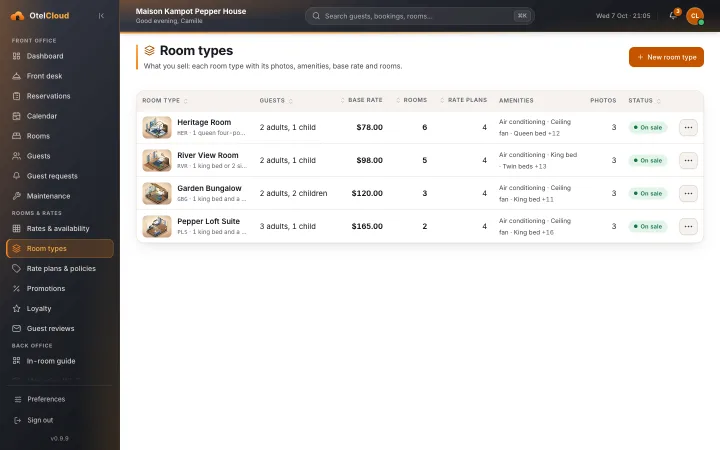
Rooms, room types and rate plans, a tape chart and one folio for every stay, and one system at the desk instead of three.
Booking engine + PMS for Cambodian hotels
OtelCloud puts a booking engine on your hotel's website, in Khmer and English. The same system runs arrivals, rooms, rates and the folio at your front desk.
Why OtelCloud
A booking system for Cambodia should speak Khmer and show riel beside the dollar. OtelCloud does.
A guest who books on your own website is a booking you pay no OTA commission on. OtelCloud is sold as a package, not as a cut of each stay.
Prices show in US dollars with the riel amount beside them, in the booking engine and on the folio.
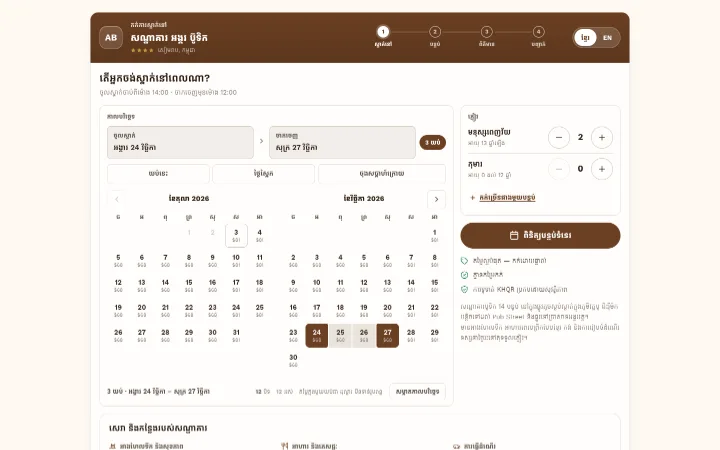
Guests book, and get their confirmation e‑mail, in Khmer or English. Your staff switch the back office between the two.
Check-in, room moves, payments and the folio work on a tablet at the desk as well as on a computer in the office.
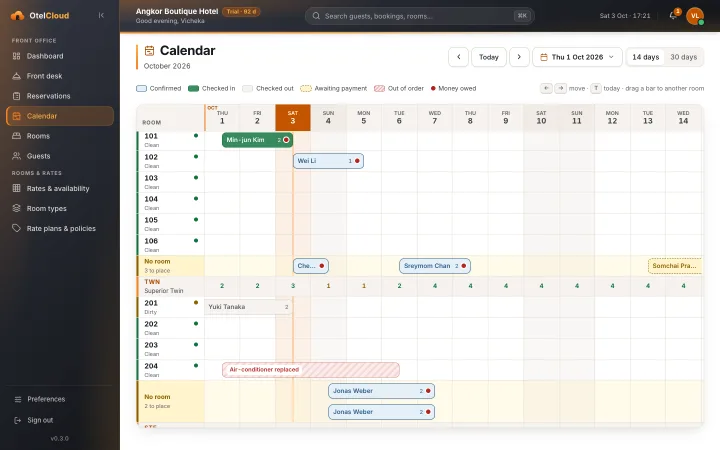
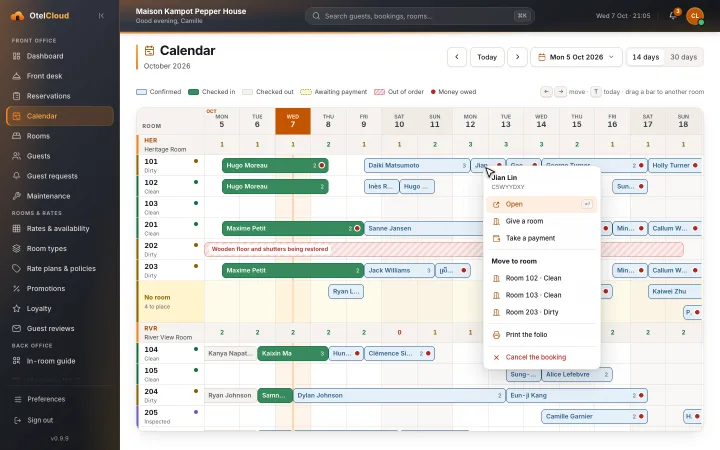
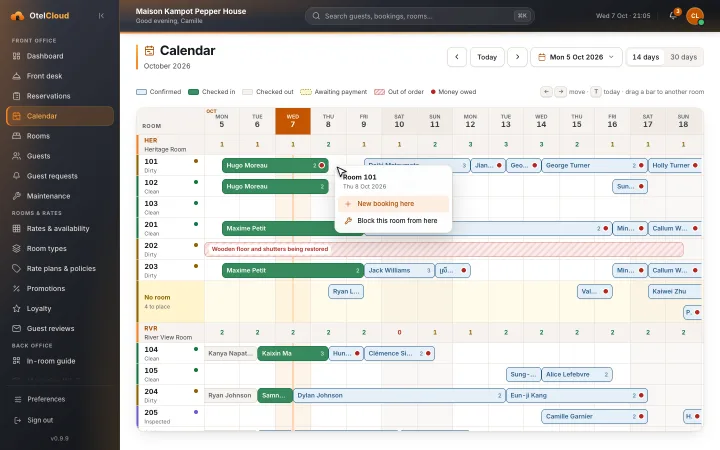
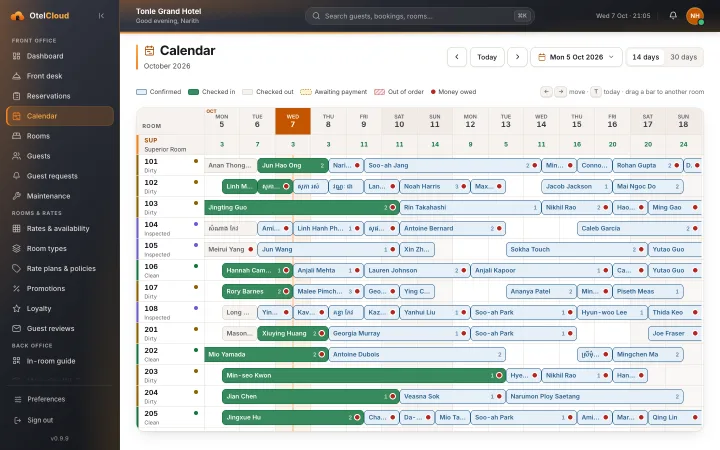
See every room night on one calendar, and drag a booking to another room when the plan changes.
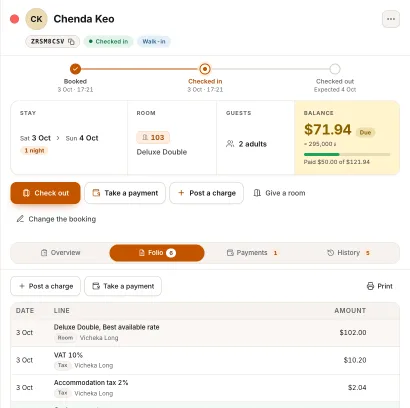
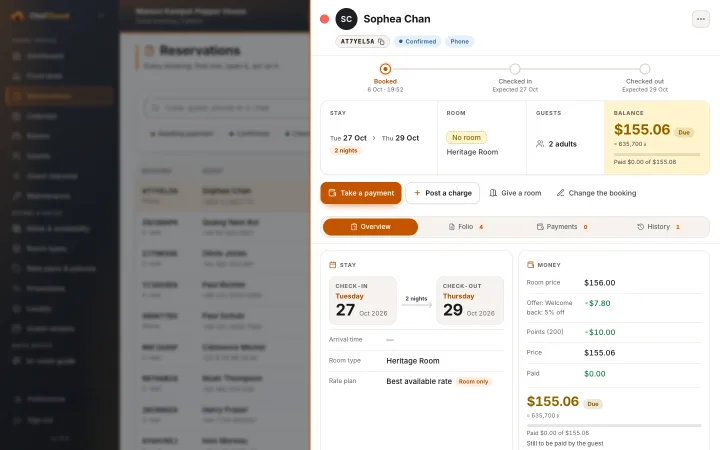
Lines are never edited or deleted: a mistake is reversed by a new line, so the story of a stay stays honest.
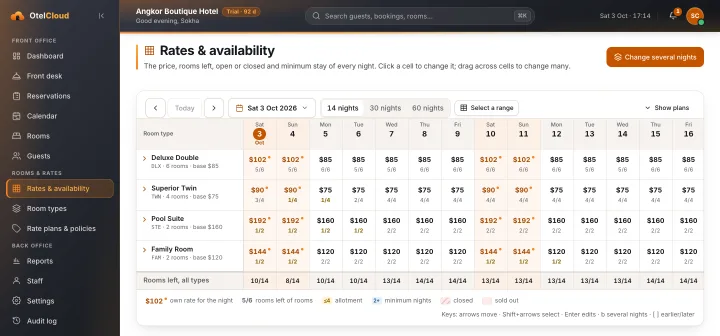
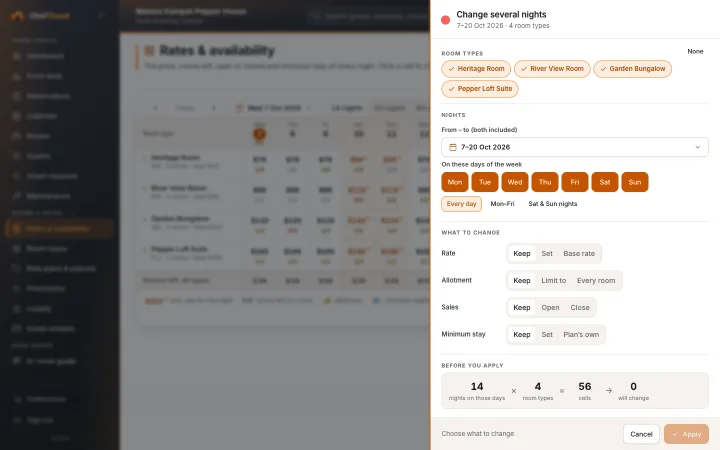
Change one night, chosen weekdays or a whole range of nights from one grid, with the rooms left beside each price.
Switch on the Cambodian standard: accommodation tax 2 % and VAT 10 % on top of it, worked out on every stay.
A Set up your hotel card lists what is left: rooms, rate plans, photos and the tax number. It goes when the work is done.
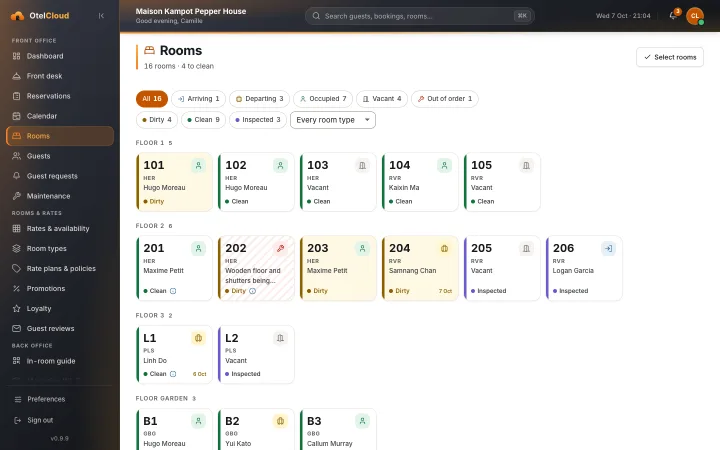
Type 101-110, 201-205, 301A and the rooms and their floors are made for you.
Each hotel's bookings and guests are kept apart from every other hotel's, by the database itself.
See who changed what, and when, across rates, bookings and staff.
How it works
There is no sign-up form and nothing to install. Our team takes your hotel live, one step at a time.
Tell us about your property: your rooms, your rates, how guests book today.
Our team loads your room types, rate plans, policies and photos, and themes the booking engine to match your website.
Your front desk, accountant and managers learn OtelCloud on your own rooms, in Khmer or English.
The booking engine goes onto your website, and your desk takes its next bookings in OtelCloud.
Booking engine
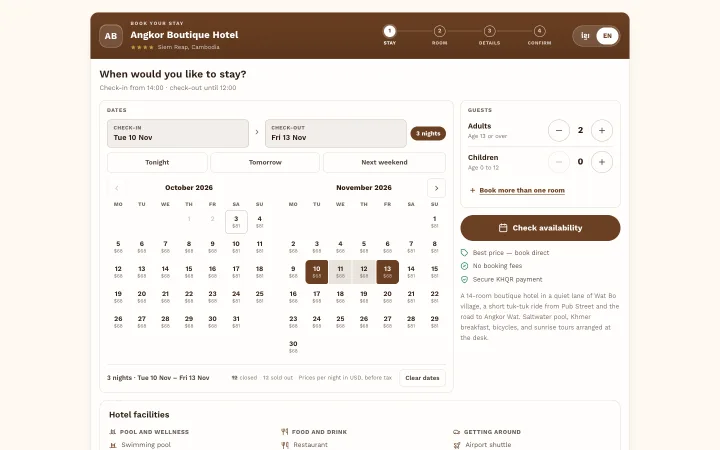
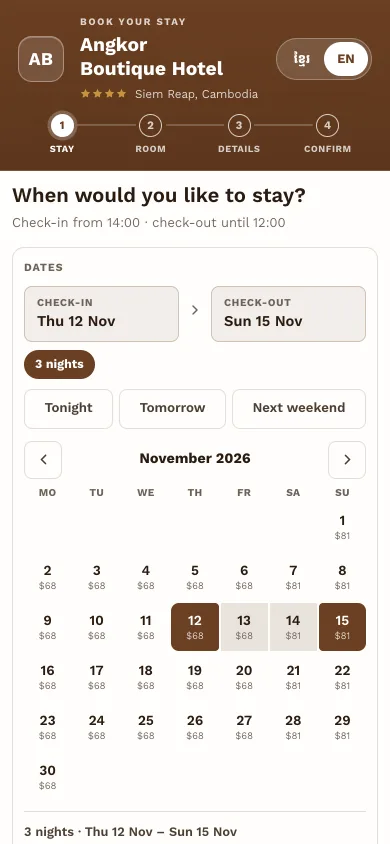
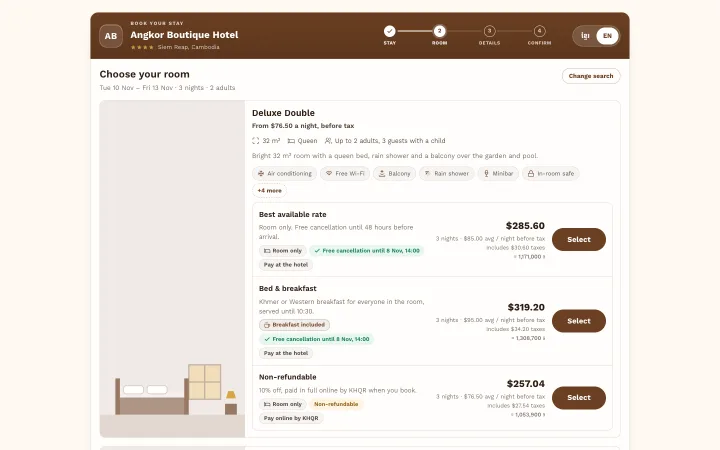
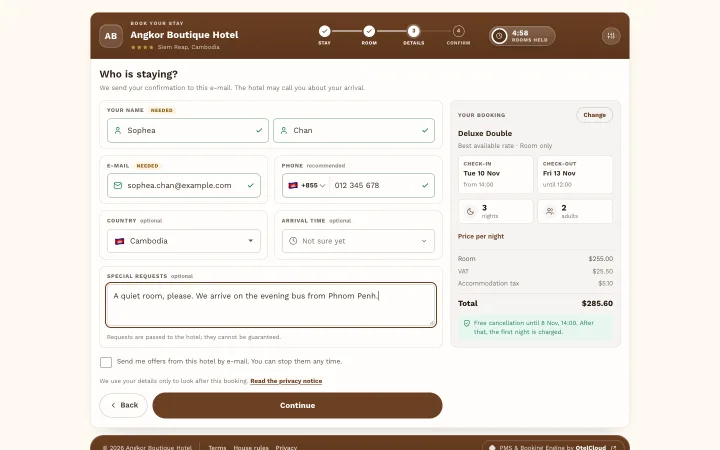
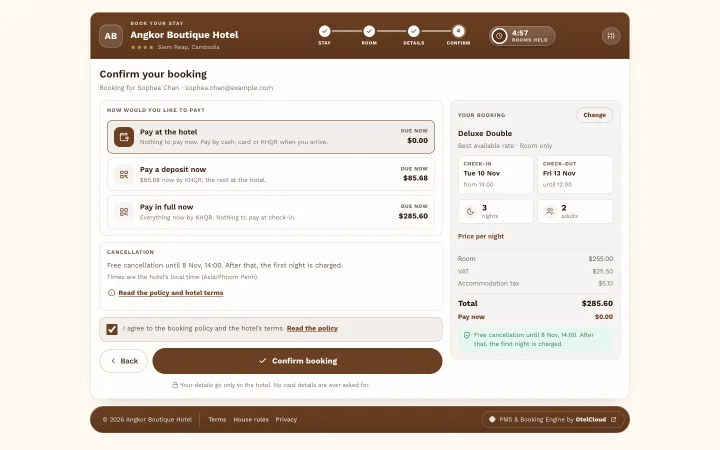
Dates, room, details, confirm: four steps on a phone or a computer. Each night's price shows on the calendar, the cancellation policy shows before the guest commits, and the confirmation arrives by e‑mail in their language.
Front desk
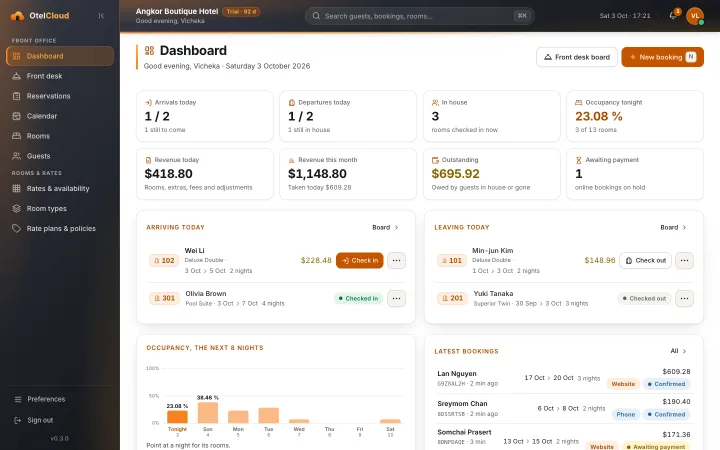
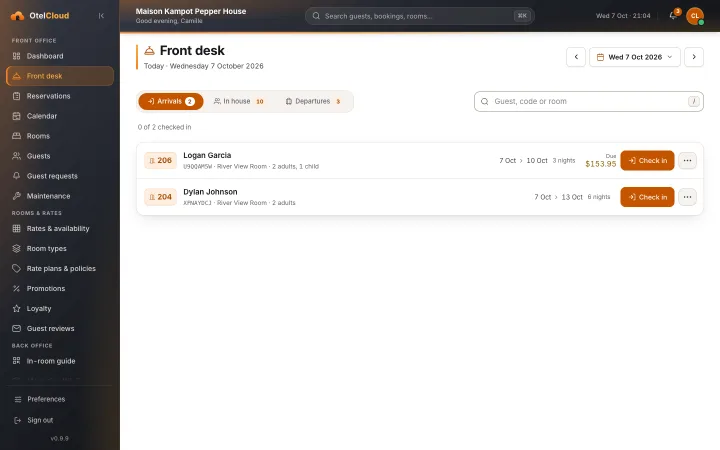
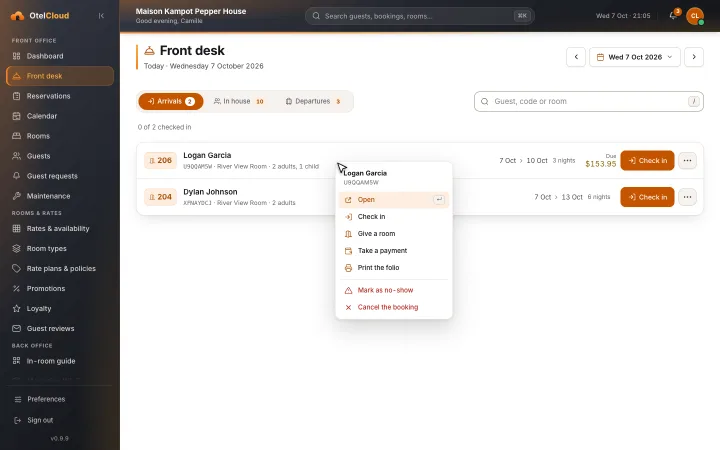
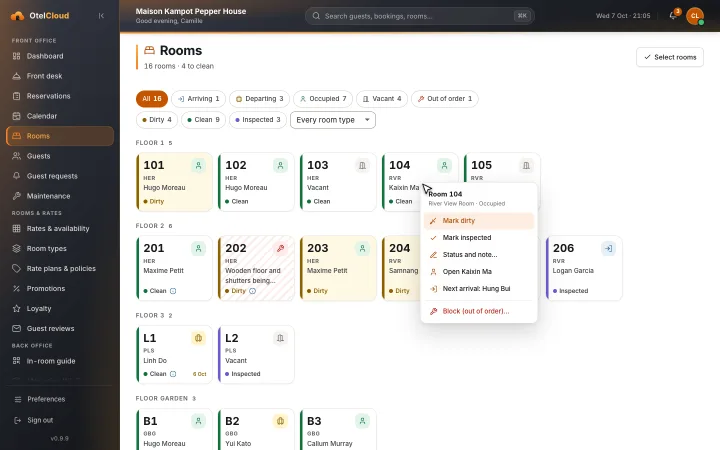
Arrivals, departures, who is in house, tonight's occupancy, today's revenue and the money guests still owe, on the first screen your desk opens in the morning.
Calendar
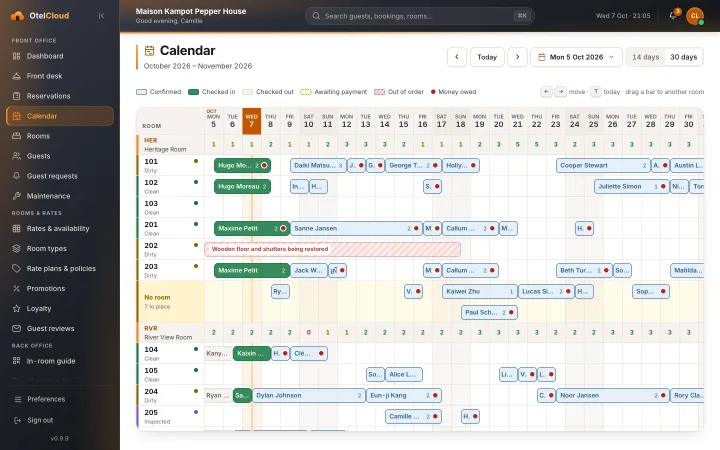
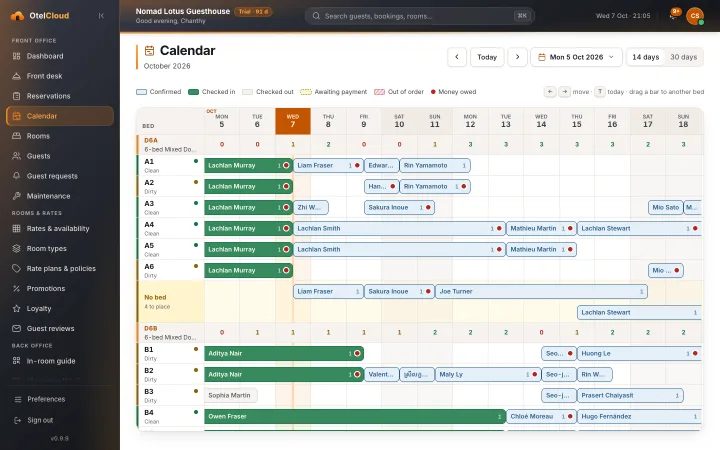
A tape chart of every room for the next two or four weeks. Drag a booking to another room; bookings that have no room yet wait in their own row until the desk gives them one.
Rates & availability
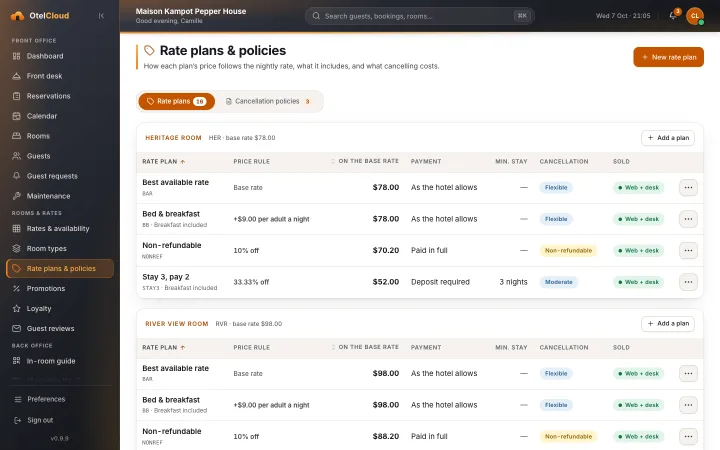
Set the price, the rooms left to sell, the minimum stay and open or closed for each room type, night by night. Select a range to change many nights at once.
Who it's for
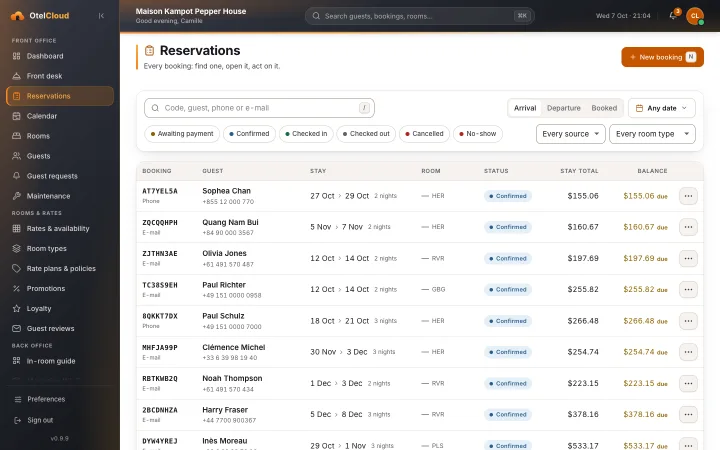
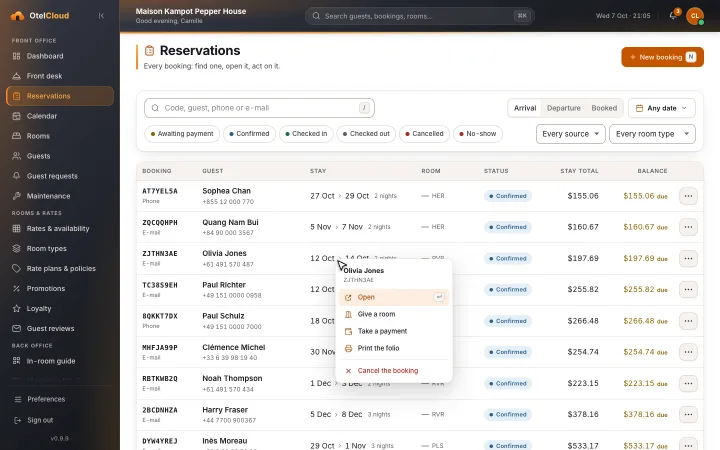
OtelCloud is a complete system for the team that runs a property: a booking engine, a front desk and a back office, for hotels, villas, cottages and dorms alike.
Rooms, room types and rate plans, a tape chart and one folio for every stay, and one system at the desk instead of three.
Several room types and rate plans, and extras on the folio.
Rent a villa by the night, one villa or a whole row of them. A private villa is one unit you rent: its own calendar, rate and folio.
Cottages numbered C1, C2 and on, sold by the night with housekeeping and a tape chart like any room.
Sell beds: each bed is a unit (A1 to A12) at its own price per night, and a group books several beds at once.
Apartments let by the night, with the same rooms, rates, payments and folio as a hotel.
One private villa or a hundred rooms: you choose the type of property, and the screens say room, villa, cottage or bed.
Sister product
BrownPOS is the point of sale made by the same team, Angkor Design. The two are separate products: a hotel can use OtelCloud without BrownPOS, and a restaurant can use BrownPOS without rooms.
Visit brownpos.comRestaurant and bar bills from BrownPOS posted to the guest's room folio, settled at check-out.
Our team does. We load your rooms, rates, policies and photos, theme the booking engine to your website and train your staff. There is no self sign-up.
Guests pay at the hotel. Your staff record cash and card payments at the desk against the stay, and the folio shows what is still owed.
Yes. The booking engine, the e-mails guests receive and the back office your staff use are all in Khmer and English. Each person chooses their language.
Not today. OtelCloud takes direct bookings on your own website. Connecting to OTAs is on our roadmap.
Yes. The back office is designed for a tablet at the front desk as well as a computer in the office.
Three months, counted from the day our team opens your hotel's account. After the trial, OtelCloud continues as a 6-month package. See pricing.
Book a demo and we will walk you through the booking engine as a guest sees it, then the front desk as your team will use it.